
How to Generate Open Graph Images with an API: A Practical Guide
Learn how to generate Open Graph images with an API, control when images are created, reuse them across URLs, avoid page crawling, and regenerate from application data.
You will learn
- Choose between automatic crawling and application-controlled generation
- Generate, store, and publish a social image from a saved template
- Regenerate only when the fields shown in an image have changed
The direct answer
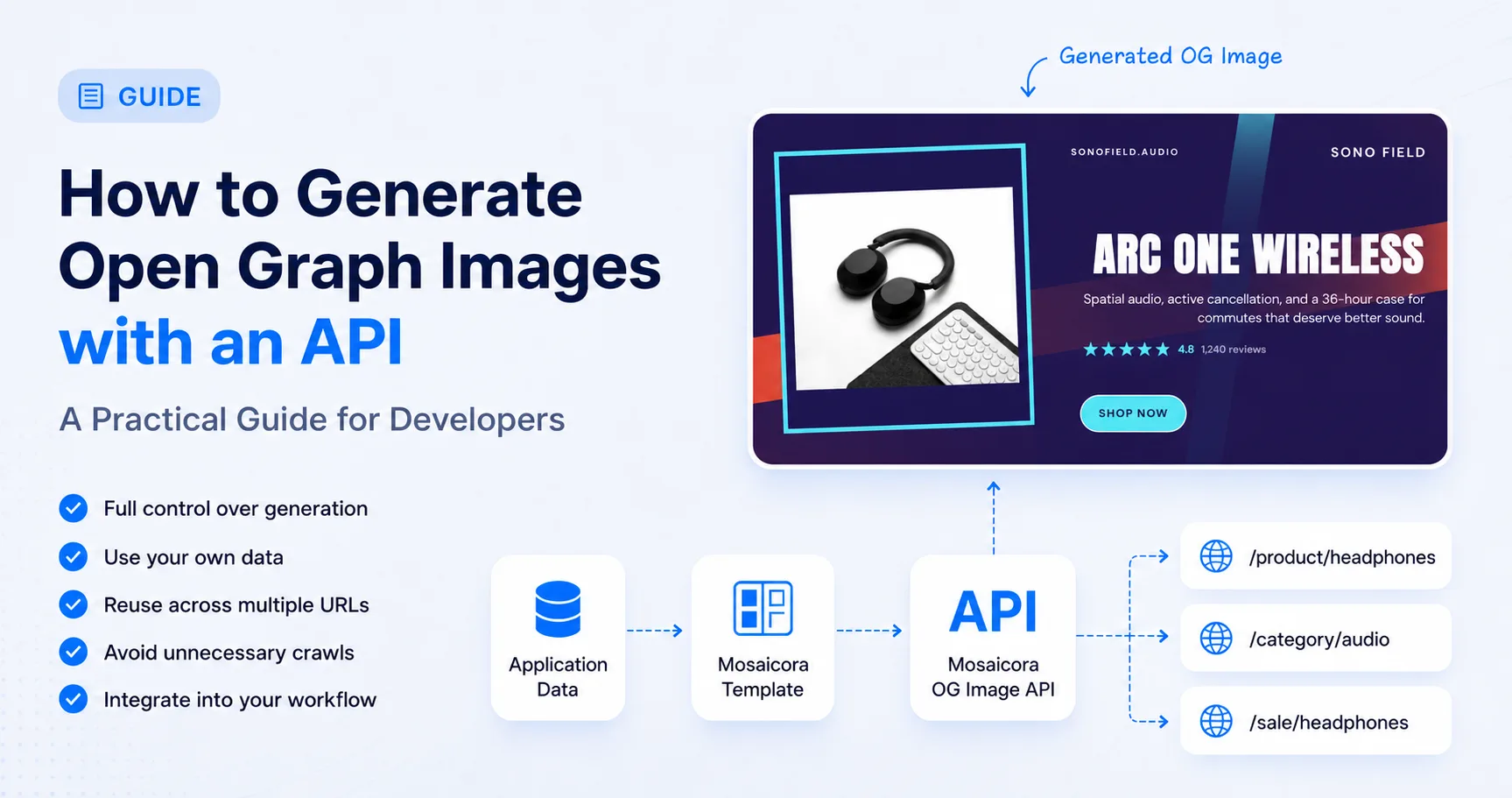
An Open Graph image API lets your application send content to a saved image template and receive finished image bytes when your own publishing workflow decides they are needed. Automatic generation is convenient when a public page already contains the right content. API generation is the better fit when your application should control the image lifecycle, including data selection, regeneration, caching, and reuse across URLs.
Choose the workflow that matches your application
Static social images are manageable for a handful of pages. They become a publishing task when a catalog, CMS, SaaS product, marketplace, job board, or campaign system changes every day. The challenge is not only rendering an image. It is deciding which data belongs in it, when it should change, and where the finished file should live.
There are two useful ways to automate that work. An automatic, URL-based workflow inspects a public page, discovers its content, and generates a preview. An API workflow starts with data the application already knows and sends that data directly to an image service. Automatic generation favors convenience. API generation favors control.
Automatic generation
Mosaicora discovers content from a public URL
A practical default when the page is public, already contains the right content, and minimizing integration work matters most.
API generation
Your application sends the values to render
A better fit when the application should decide the timing, template values, cache lifecycle, and whether several URLs share one image.
Start with the sharing contract
If you need a refresher on the metadata itself, these guides explain the page contract and the wider dynamic-image workflow.
What an Open Graph image API does
An OG image API renders a saved design with structured content. In Mosaicora, the application selects a saved template, sends only the values it wants to render, and receives image bytes synchronously. The template fields endpoint describes the ordered content contract, including the accepted fields and image formats for that saved template. This differs from asking a service to crawl a URL and infer content from the rendered page.
GET https://api.mosaicora.io/api/v1/templates/{template_id}/fields
Authorization: Bearer mos_your_tokenCreate the reusable template before integrating
The API is for generating variations from a saved template. It is not a replacement for the full visual setup process. Create the initial template in the Mosaicora OG Designer, configure the visual structure and the content fields it uses, then save it. Your application can use that template repeatedly without an editor changing the design for every product or article.
This division of responsibility is useful. The designer controls how the image looks. The OG Image API controls what content is inserted and when an image is generated. A team can review the visual system once, while code supplies current application data whenever a publish, import, deployment hook, campaign change, or scheduled job calls for an updated result.
- 1
Application event
A product, article, campaign, or schedule changes.
- 2
Relevant data
Select only values that the image actually shows.
- 3
Saved template
Use the visual structure created in the OG Designer.
- 4
OG Image API
Render the selected values into finished image bytes.
- 5
Cache and reuse
Store a public result and share it where it fits.
- 6
One or more URLs
Reference the stable image from relevant pages.
Set up the visual layer first
Use the full designer to create and save the base template. API access is available on Growth and Scale, with Growth as the minimum plan.
Generate an image from application data
Consider a store with a product template that shows a name, price, brand, and other fields configured in the designer. When a product changes, the store can load the current record and send the values accepted by that template. The product image itself should be supplied only when the template fields endpoint confirms the supported field and format. Do not infer that contract from a different template.
Mosaicora's API is available from the Growth plan. Once that prerequisite is met, a generation request contains the saved template ID, a supported format, and a content object. Include an idempotency key that represents the intended render so your job can recognize a retry. The response is binary image data, not a public image URL, so the application decides how to store and serve the result.
curl -X POST https://api.mosaicora.io/api/v1/images/generate \
  -H "Authorization: Bearer mos_your_token" \
  -H "Content-Type: application/json" \
  -H "Idempotency-Key: product-widget-v42" \
  -d '{
  "type": "og",
  "templateId": "template_ecommerce_14",
  "format": "webp",
  "content": {
    "brand": "Northline Goods",
    "category": "Home office",
    "title": "Arc lounge chair",
    "subtitle": "Soft linen upholstery with a sculpted oak base.",
    "price": "$248"
  }
}' \
--output product-widget.webpconst response = await fetch("https://api.mosaicora.io/api/v1/images/generate", {
method: "POST",
headers: {
Authorization: "Bearer " + process.env.MOSAICORA_API_TOKEN,
"Content-Type": "application/json",
"Idempotency-Key": "product-" + product.id + "-" + product.imageVersion,
},
body: JSON.stringify({
type: "og",
templateId: "template_ecommerce_14",
format: "webp",
content: { brand: product.brand, category: product.category, title: product.name, subtitle: product.summary, price: product.priceLabel },
}),
});
if (!response.ok) throw new Error("Mosaicora image generation failed");
const imageBytes = Buffer.from(await response.arrayBuffer());
await storage.put("social/product-" + product.id + ".webp", imageBytes, {
contentType: response.headers.get("content-type") ?? "image/webp",
});$payload = [
"type" => "og",
"templateId" => "template_ecommerce_14",
"format" => "webp",
"content" => [
"brand" => $product->brand,
"category" => $product->category,
"title" => $product->name,
"subtitle" => $product->summary,
"price" => $product->priceLabel,
],
];
$ch = curl_init("https://api.mosaicora.io/api/v1/images/generate");
curl_setopt_array($ch, [
CURLOPT_POST => true,
CURLOPT_POSTFIELDS => json_encode($payload, JSON_THROW_ON_ERROR),
CURLOPT_HTTPHEADER => ["Authorization: Bearer " . getenv("MOSAICORA_API_TOKEN"), "Content-Type: application/json", "Idempotency-Key: product-" . $product->id],
CURLOPT_RETURNTRANSFER => true,
]);
$imageBytes = curl_exec($ch);
$status = curl_getinfo($ch, CURLINFO_RESPONSE_CODE);
curl_close($ch);
if ($imageBytes === false || $status < 200 || $status >= 300) throw new RuntimeException("Mosaicora image generation failed");
file_put_contents($storagePath, $imageBytes);Store the result at a stable public URL
Mosaicora returns image bytes, so a typical application stores them in its own object storage, application media layer, or CDN before publishing an og:image URL. Social crawlers need a publicly reachable, stable URL. Avoid signed or short-lived URLs that may have expired when a platform fetches the page later. Check that the stored response has the intended image content type before you attach it to metadata.
<meta property="og:image" content="https://cdn.example.com/social/product-widget.webp" />
<meta property="og:image:width" content="1200" />
<meta property="og:image:height" content="630" />
<meta property="og:image:alt" content="Arc lounge chair by Northline Goods" />
A stable URL does not mean every page needs a distinct image. If a campaign, route variant, and canonical product page intentionally share the same preview, they can all point to the same stored file. That lets the application generate once and reuse the result where the message is genuinely the same. Whether pages should share an image remains an application and business decision.
/product/widget
/product/widget?campaign=summer
/sale/widget

              ↓

https://cdn.example.com/social/widget-summer.webp
Cache and regenerate deliberately
API generation works best when the application owns invalidation. Identify the fields used by the template, compare them with the previous published values, and regenerate only if a visible value changed. A product title, main image, price, promotion, author, or campaign message may need a new image. An internal SKU change does not if the SKU is not rendered. This gives developers a practical way to control generation usage rather than issuing a new request for every database update.
A practical regeneration decision
- Record the saved template ID and only the values it displays.
- Derive an internal fingerprint from those values when deterministic caching helps.
- Reuse the stored image when the fingerprint is unchanged.
- Generate a new version when a visible field or intentional template version changes.
- Keep a default image available if a publishing job cannot produce a replacement.
Generating a new image and refreshing a social platform preview are separate jobs. A platform can keep using its previously scraped metadata or image even after the page has changed. Correct the public HTML and image delivery first, then use the platform refresh tool where one is available. A versioned image URL can make a meaningful visual revision distinguishable from the previous asset.
Validate the published result
Use these guides after generation to confirm public metadata and handle platform-level cache behavior.
Handle production failures without losing a valid preview
Treat generation as a production dependency with a safe fallback. Set a sensible timeout, log the request identifier returned by the API when available, and make a retry decision in the job that owns publication. A malformed content value, an unavailable asset, or a network failure should not leave a page without valid social metadata. Keep the previous valid image when a replacement fails unless the content is no longer safe to share.
- Use a deliberate fallback image for new pages that have no prior generation.
- Use the idempotency key to make retries traceable to one intended render.
- Check the returned content type before storing or serving the binary response.
- Record the template ID and request identifier with the publishing job for support and debugging.
An internal renderer can provide complete ownership, but it also creates an operational responsibility for rendering infrastructure, font handling, asset loading, queues, caching, concurrency, retries, upgrades, and observability. An image API removes much of that rendering work. The more important distinction here is still workflow control. Your application chooses the data and lifecycle without asking Mosaicora to crawl the website.
Choose automatic generation when convenience is the priority and public page content is the source of truth. Choose the API when your application should control the lifecycle of the social image. Design the reusable template once, send application data directly, generate only for visible changes, reuse images when appropriate, expose a stable public URL, and reference that URL through og:image.
See the Mosaicora OG Image API
Review the saved-template workflow, available formats, and API access details before connecting your application.
Explore the OG Image API