
What is an Open Graph Image? And Why It Matters for Your Website
Learn what an Open Graph image is, how it controls link previews, and why page-specific previews are easier to understand and trust.
You will learn
- Understand where Open Graph images appear and what they communicate
- Publish the essential metadata without relying on crawler guesswork
- Decide when a shared fallback image is enough and when each page needs its own
The direct answer
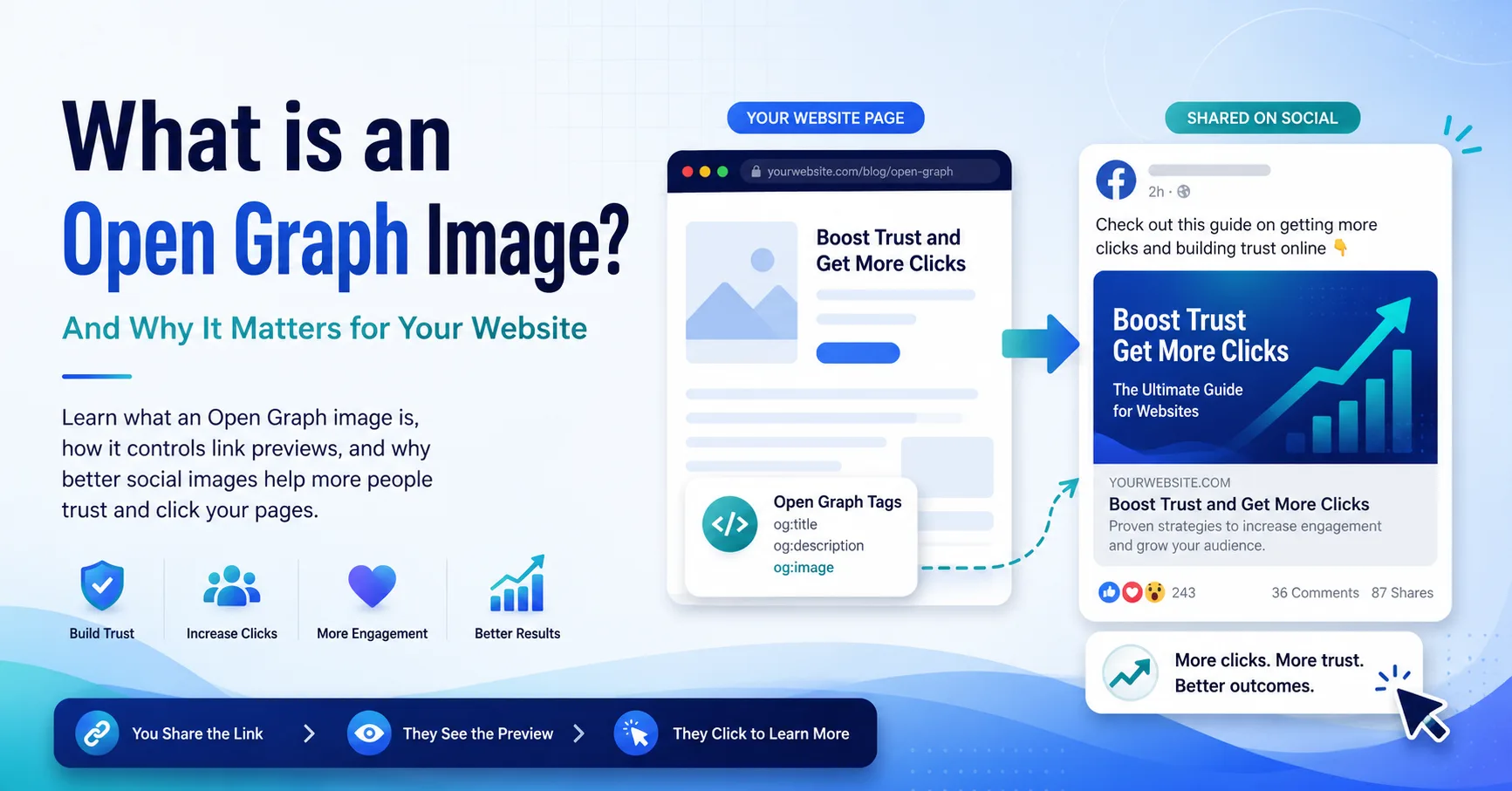
An Open Graph image is the preview image that supported apps can show when someone shares your page. You choose it with the og:image meta tag in the page head.
The simple definition
When a link is shared in a social feed, chat, or collaboration tool, the receiving app may build a rich preview from metadata in the page HTML. The Open Graph image is the visual part of that preview. It usually appears with the page title, description, domain, and destination URL.
The page declares that image with og:image. If the tag is missing or unusable, an app may choose another image, show a small generic preview, or omit the image. That fallback behavior differs between platforms, so publishing explicit metadata is more reliable than asking crawlers to guess.
Without a useful og:image
The preview lacks page context
A site logo or unrelated image gives the reader little reason to expect that the destination matches the message around the link.
With a page-specific image
The topic is clear before the click
The article subject, product, or announcement is visible immediately while the brand treatment remains consistent.
Why it matters
A preview has a small but important job. It should help someone recognize the source, understand the subject, and decide whether opening the page makes sense. The image cannot compensate for weak content, but it can make the destination easier to evaluate.
- A blog post can show its actual topic instead of the same logo used by every article.
- A product page can show the product or category that the shared URL represents.
- Documentation can name the integration, feature, or task covered by the page.
- A launch or changelog entry can remain visually connected to the announcement.
The minimum tags
The Open Graph protocol defines title, type, image, and canonical URL as its four basic required properties. A concise description is optional in the protocol but commonly useful in real previews. Image dimensions, MIME type, and alt text give consumers more information without fetching or interpreting the file first.
<meta property="og:title" content="Your page title" />
<meta property="og:type" content="article" />
<meta property="og:url" content="https://example.com/guides/open-graph" />
<meta property="og:description" content="A clear summary of the page" />
<meta property="og:image" content="https://example.com/social/open-graph.jpg" />
<meta property="og:image:width" content="1200" />
<meta property="og:image:height" content="630" />
<meta property="og:image:alt" content="A preview of the Open Graph guide" />
<meta name="twitter:card" content="summary_large_image" />
Before you publish
- Use an absolute HTTPS URL for the image and canonical page URL.
- Return the real image file with an appropriate image Content-Type.
- Keep the image public and available without cookies or a signed-in session.
- Render metadata in the initial HTML so a crawler does not need client JavaScript.
- Test the final deployed page URL rather than only opening the image.
When one image is not enough
A single site-wide fallback is a sensible baseline for home, contact, and utility pages. It becomes less helpful when many URLs represent different subjects. A reader should not see the same generic image for every article in a publication or every product in a catalog.
Dynamic images solve that repetition by combining a reusable visual template with page data such as a title, category, product name, or screenshot. The template protects the brand system while the page data explains what is unique about the URL.
A useful next step
Inspect one important page from your site. Confirm that its HTML contains the intended Open Graph values, open the image URL directly, and compare the preview with the destination. If the preview could describe several different pages, it is probably too generic.
Check your current link preview
Paste a public page URL into the Mosaicora checker to inspect its title, description, image, and crawler-facing metadata.
Open the free checker