
Static vs Dynamic OG Images: Which Is Right for Your Site?
Compare static and dynamic Open Graph image workflows by content volume, update frequency, ownership, reliability, and maintenance cost.
You will learn
- Compare the operational cost of static files and dynamic templates
- Choose a workflow based on content behavior rather than novelty
- Combine fallbacks and dynamic images in a practical hybrid model
The direct answer
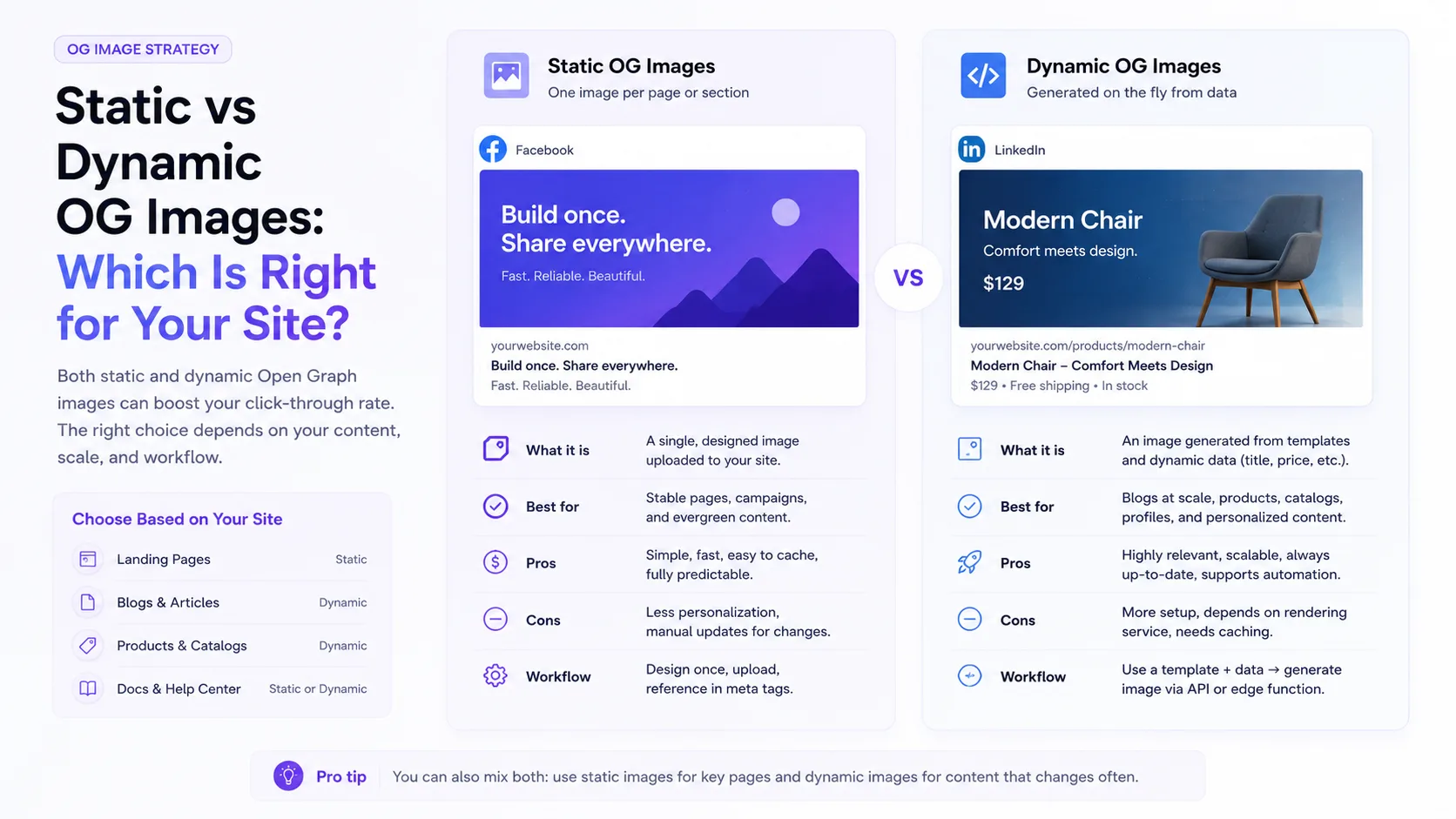
Use static images when a small set of pages changes rarely. Use dynamic templates when many pages need previews that reflect their individual content.
What static images are good at
A static Open Graph image is a normal image file created and published for a page. It is easy to understand, easy to cache, and independent of an image-rendering runtime once deployed.
- Homepages and campaign pages with carefully art-directed creative
- Small marketing sites with a limited number of stable URLs
- Evergreen pages whose titles and subjects rarely change
- Teams that already have a reliable manual design and publishing process
What dynamic images are good at
A dynamic workflow renders images from a template and page data. The result can still be cached as a stable image file. Dynamic describes how the asset is produced, not whether every request must trigger fresh rendering.
- Blogs and newsrooms that publish frequently
- Product catalogs with many distinct items
- Documentation, integrations, and changelogs
- User-generated or data-driven public pages
- Localization where titles and labels vary by language
Compare the real tradeoffs
Static workflow
Simple delivery, manual production
Few runtime dependencies and full art direction, but every new or changed page can create another design and upload task.
Dynamic workflow
Repeatable production, more system design
Templates reduce repetitive exports, but the team must govern data length, fonts, fallbacks, rendering, caching, and failure behavior.
Questions that decide the workflow
- How many public pages need distinct previews?
- How often do titles, products, or releases change?
- Who owns template changes and brand review?
- What should happen when a value is missing or unusually long?
- Can the image system produce stable public URLs?
A hybrid model is usually the most practical
Use a strong fallback image for pages that do not need individual treatment. Add dynamic templates to high-volume content types such as articles, products, docs, or releases. Keep a few handcrafted static images for major campaigns where precise art direction matters more than automation.
Make the decision based on maintenance
The best system is the one your team can keep accurate. A sophisticated generator that frequently fails is worse than a clear static fallback. A manual workflow that leaves hundreds of pages with stale previews is worse than a restrained template. Choose the smallest reliable system that matches your publishing volume.
Request a website preview audit
We will review three representative public URLs, identify social-preview metadata problems, and reply asynchronously with one practical setup proposal.
Prefer to continue on your own? Learn about dynamic images